For ADHD brains, and anyone who stalls at the start

When starting is the hard part, start smaller.

Leapsteps turns a big, foggy goal into one next step you can see, puts it on today's list, and runs a timer while you do it. Say tasks out loud instead of typing them, and watch the small wins add up.

Get Leapsteps

Free to start. Pro comes with a 7-day free trial.

How Leapsteps works, in five steps

You care about the goal. Finding the first move is the hard part.

  • Big tasks don't look like tasks.

    "Sort out my finances" can sit there for months because there's no obvious first move.

  • Long lists get ignored.

    When everything looks equally urgent, picking one thing feels impossible, so nothing gets picked.

  • Time slips.

    You sit down for five minutes and look up an hour later. Or you never sit down at all.

Leapsteps keeps one next step in front of you and a timer running while you do it.

How it works when starting is hard

These are real screens from the app.

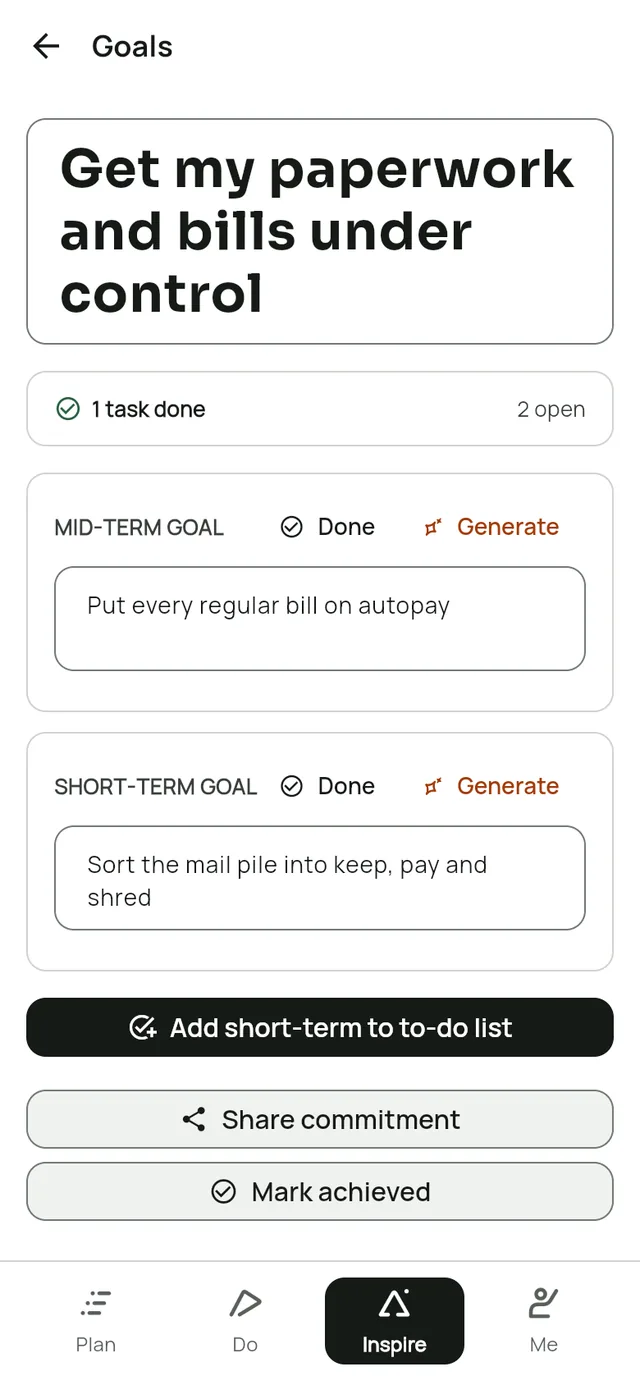
1Shrink the goal

One next step, not a wall of tasks.

Write the big goal however it comes out. AI drafts a milestone and a next step for the coming weeks. If a task still feels too big, ask AI to split it into subtasks.

  • Keep, edit or skip anything AI suggests
  • Or write it all yourself
The goal screen in Leapsteps. Long-term goal: Get my paperwork and bills under control. Mid-term goal: Put every regular bill on autopay. Short-term goal: Sort the mail pile into keep, pay and shred.

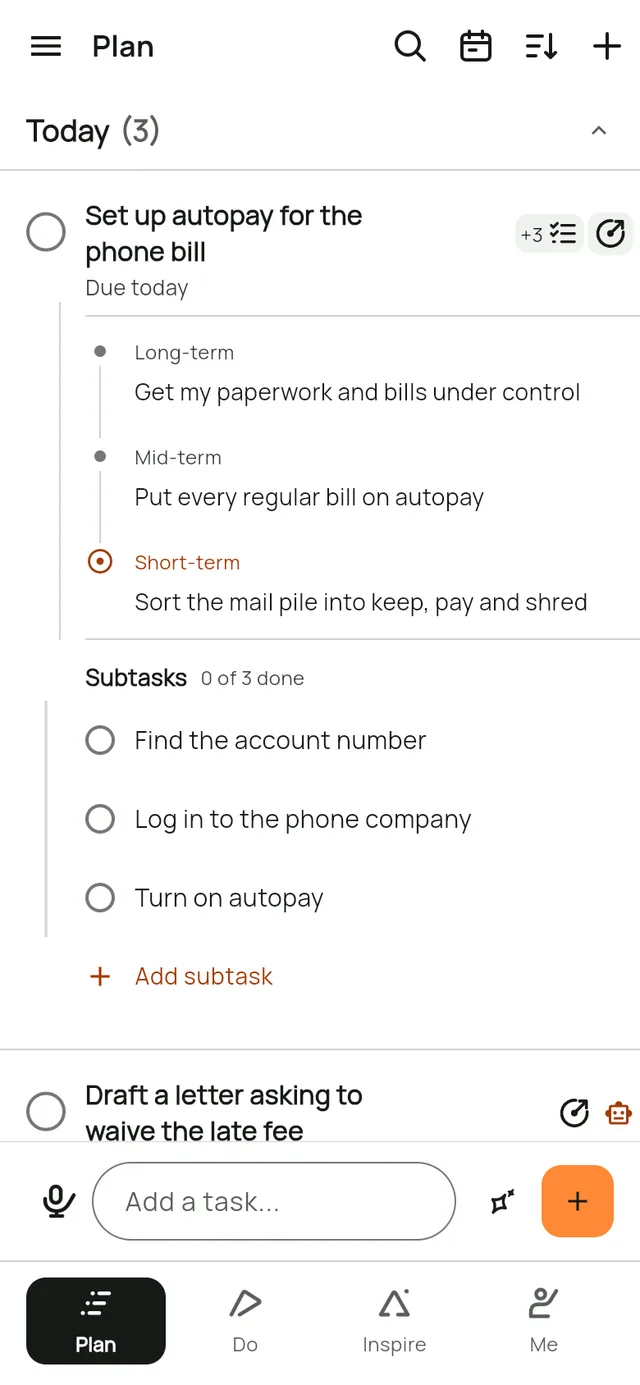
2Empty your head

Say it out loud, then open only what you need.

Talk through everything on your mind and Leapsteps turns it into separate tasks. Tap a task's subtask icon to see its small steps, or its goal icon to remember why it matters. Tap again to tuck them away when the list feels like too much.

  • End a task with "tomorrow" and the date sets itself
  • Repeating tasks for the weekly stuff
The Plan screen in Leapsteps. The task Set up autopay for the phone bill is open: its goal (Get my paperwork and bills under control, then Put every regular bill on autopay, then Sort the mail pile into keep, pay and shred) and its three subtasks show under it. Draft a letter asking to waive the late fee has a robot icon because an AI is working on it.

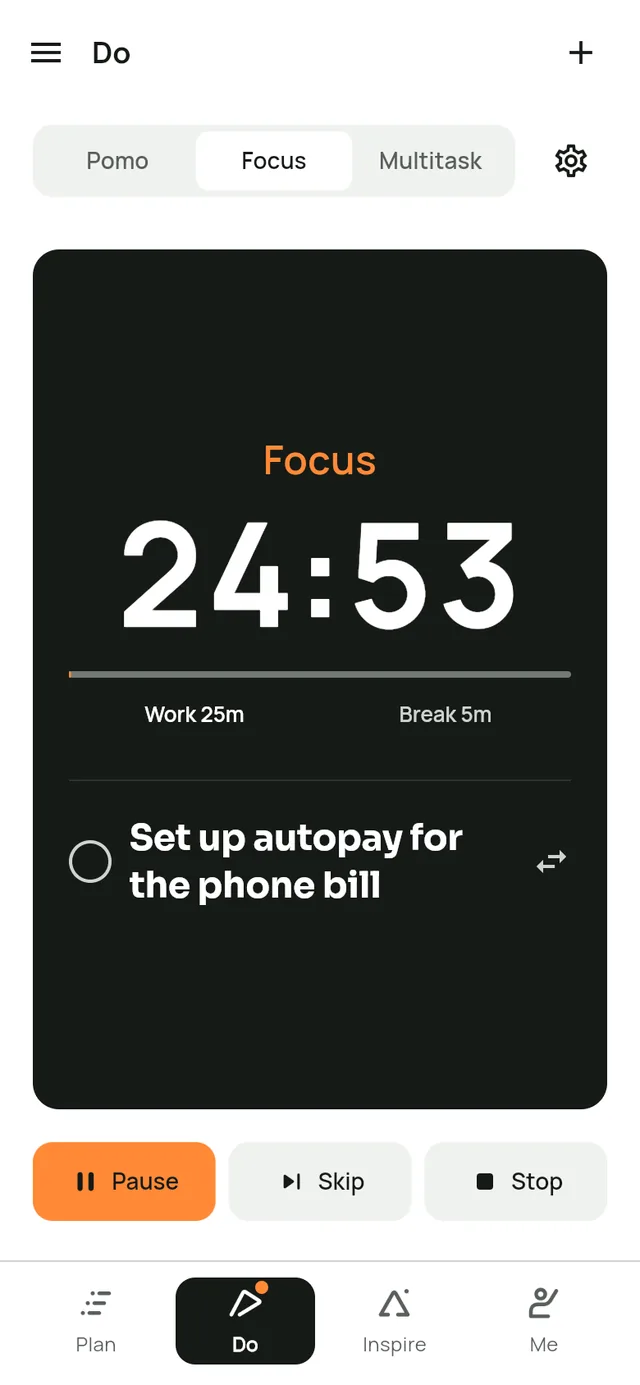
3Do one thing

A timer you can see, with breaks built in.

Pick one task and start the timer. The countdown stays on screen, and the break comes when it's due. Mark the task done without leaving the timer.

  • Pomo when you just need a timer
  • Multitask for a handful of small jobs
The Do screen in Leapsteps. A 25-minute focus timer is running on the task Set up autopay for the phone bill.

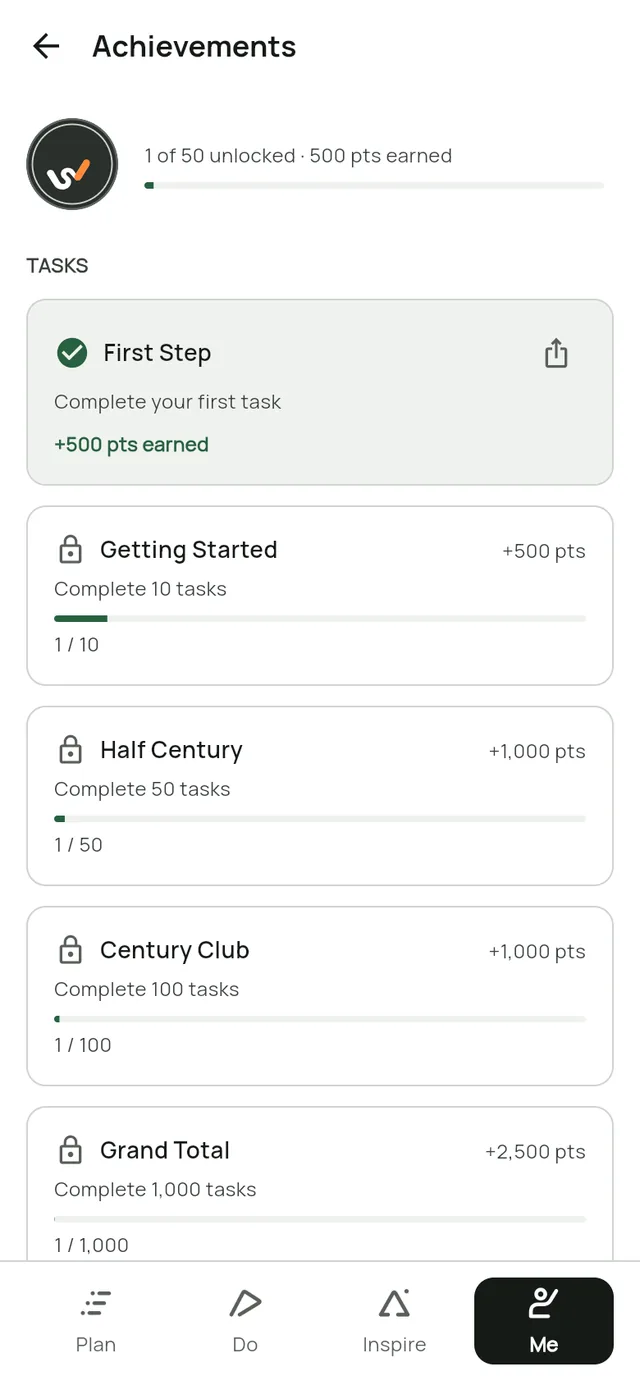
4See the wins

Small wins you can see.

Finishing tasks earns XP, keeps your streak going and unlocks achievements and new avatars. Streak alerts celebrate milestones. They don't scold you for missed days.

  • Levels, streaks and achievements
  • Avatar rewards you unlock with points
The Achievements screen in Leapsteps. First Step is unlocked; Getting Started, Half Century and Century Club show progress bars.

Why starting smaller helps

What goal research has found, and what Leapsteps does with it.

  • Stanford University

    Small steps beat a distant goal

    In a Stanford study, students who aimed for a small goal each session progressed faster than students given one distant goal. That's why every goal in Leapsteps gets a next step you can start this week.

    Read the study
  • Carleton University

    Go easy on yourself

    In a Carleton study of students who procrastinated a lot, those who forgave themselves for putting off one exam procrastinated less before the next. That's why late tasks just show how late they are, and streak alerts celebrate instead of scolding.

    Read the study
  • Harvard Business School

    Progress is the best motivator

    Harvard researchers who studied professionals' daily diaries found that making progress on meaningful work, even in small steps, did the most to lift their motivation. That's why finished tasks, achieved steps and your streak stay in view.

    Read the research

These studies test the ideas behind Leapsteps, not the app itself, and they aren't about ADHD.

Fewer things pulling at you

  • No feed, no ads

    There's no advertising in the app and no feed to scroll through.

  • Late without the guilt

    Late tasks show how late they are, so you can move them or let them go.

  • Hand the dull writing to AI

    Mark a task like a letter to the bank as AI working while your AI drafts it, and get on with the next thing.

Questions, answered

Is Leapsteps made for ADHD?

It's a planner for anyone with a big goal. We wrote this page for people who stall at the start, because small next steps, a visible timer, voice capture and quick rewards are all part of the app. Leapsteps isn't a medical or treatment app, and it doesn't replace advice from a professional.

What if I stop using it for a week?

Nothing breaks. Your goal and its next step are where you left them. Late tasks show how late they are, so you can move them or drop them.

Will it nag me?

Streak alerts celebrate milestones. They don't warn you about missed days.

Do I have to use the AI?

No. You can write every goal, step and task yourself. AI only drafts ideas when you ask, and you keep, edit or skip what it suggests.

How much does Pro cost?

Leapsteps is free for one goal on one device. Pro starts with a 7-day free trial, and the app shows the price before you start. Cancel at least 24 hours before the trial ends and you won't be charged. Compare Free and Pro.

Start with one small step.

Leapsteps is coming soon. Choose your device and we'll email you when it's out.

Get Leapsteps

See everything Leapsteps does

Leapsteps is coming soon

Email me when it's out on

We'll only email you when Leapsteps is out on the devices you chose. Read our Privacy Policy.