

 LeapSteps
 Personal
 Team
 Calendar
 Archive
 Plan
 Achievements
 Settings
 Help


 Do
 Inspire
 Me
1Plan the day
Start with what's on your plate.
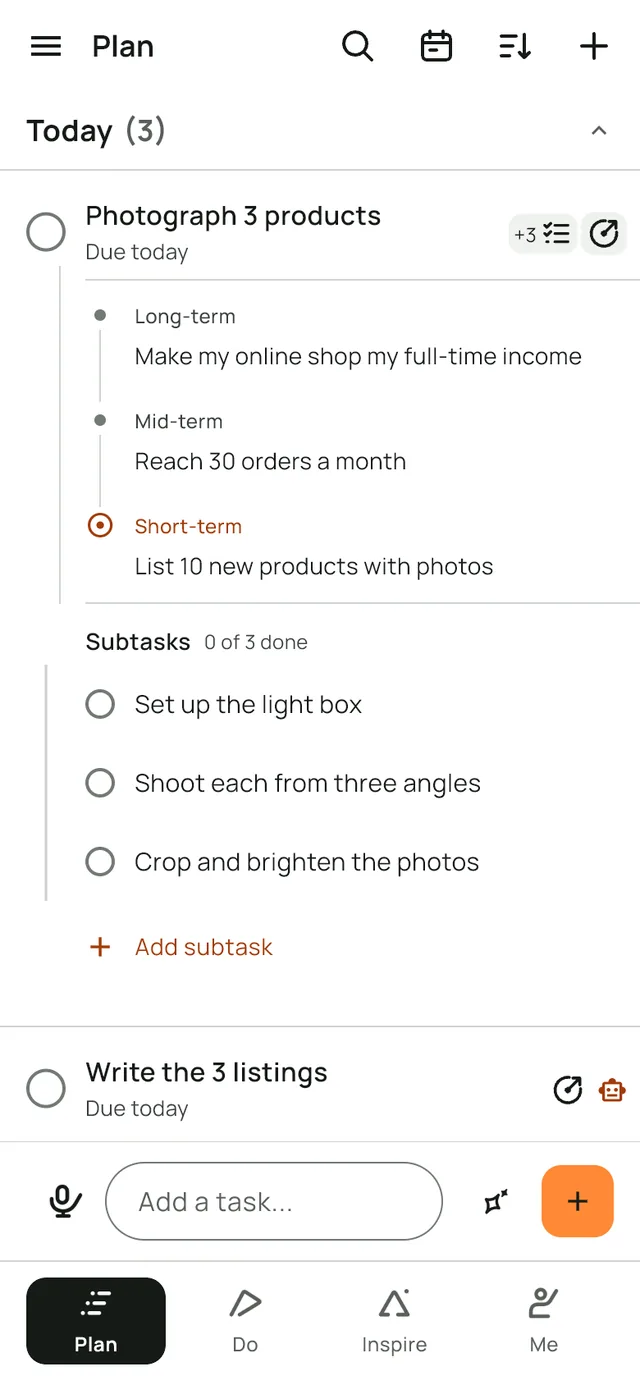
Add today's tasks in seconds. Open a task's goal to see what it moves forward, or its subtasks to see the small steps inside it.
LeapSteps is an AI to-do list and goal planner. Write down today's tasks, link the ones that matter to a goal, and AI drafts a step you can start this week.
Free to start. Pro comes with a 7-day free trial.
How LeapSteps works, in four steps
LeapSteps keeps today's list and your goals in one place, so the big goal always has a next step.
It follows what goal research has found: a small goal each session beat one distant goal (Stanford University), small progress on meaningful work lifted motivation most (Harvard Business School), and goals worked better with a reason and a visible score (a review of 35 years of studies). The studies test the ideas behind LeapSteps, not the app.
These are real screens from the app.
1Plan the day
Add today's tasks in seconds. Open a task's goal to see what it moves forward, or its subtasks to see the small steps inside it.
2Link a goal
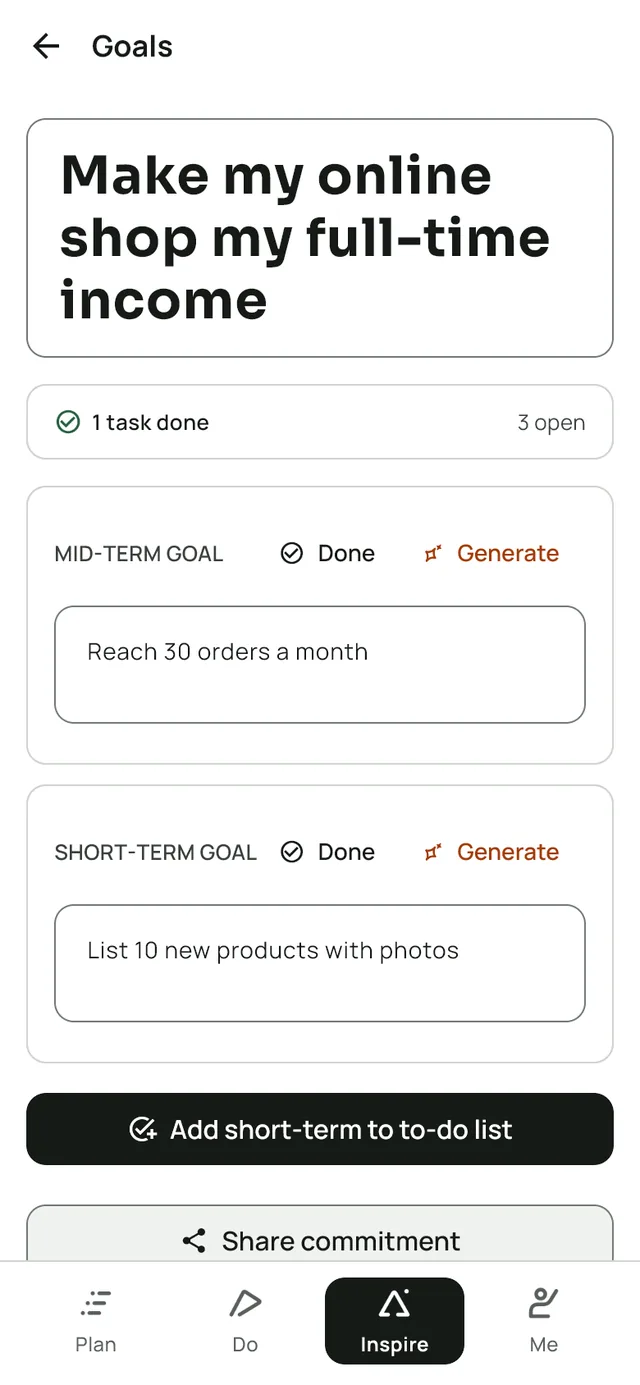
When a task is part of something bigger, write that goal in your own words and link the task to it. AI drafts a milestone and a first step; keep one, edit it or write your own.
3Do the work, with AI
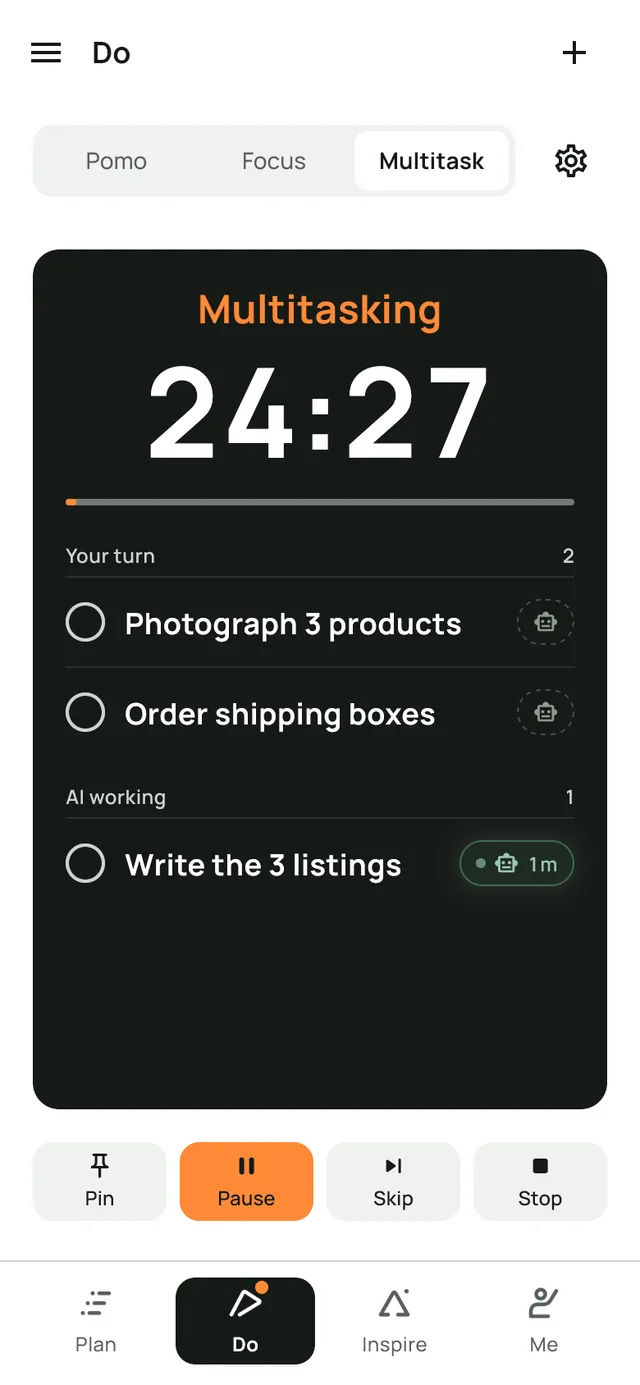
Hand a task to the AI tool you use and it waits under AI working while you keep going on yours.
4See it add up
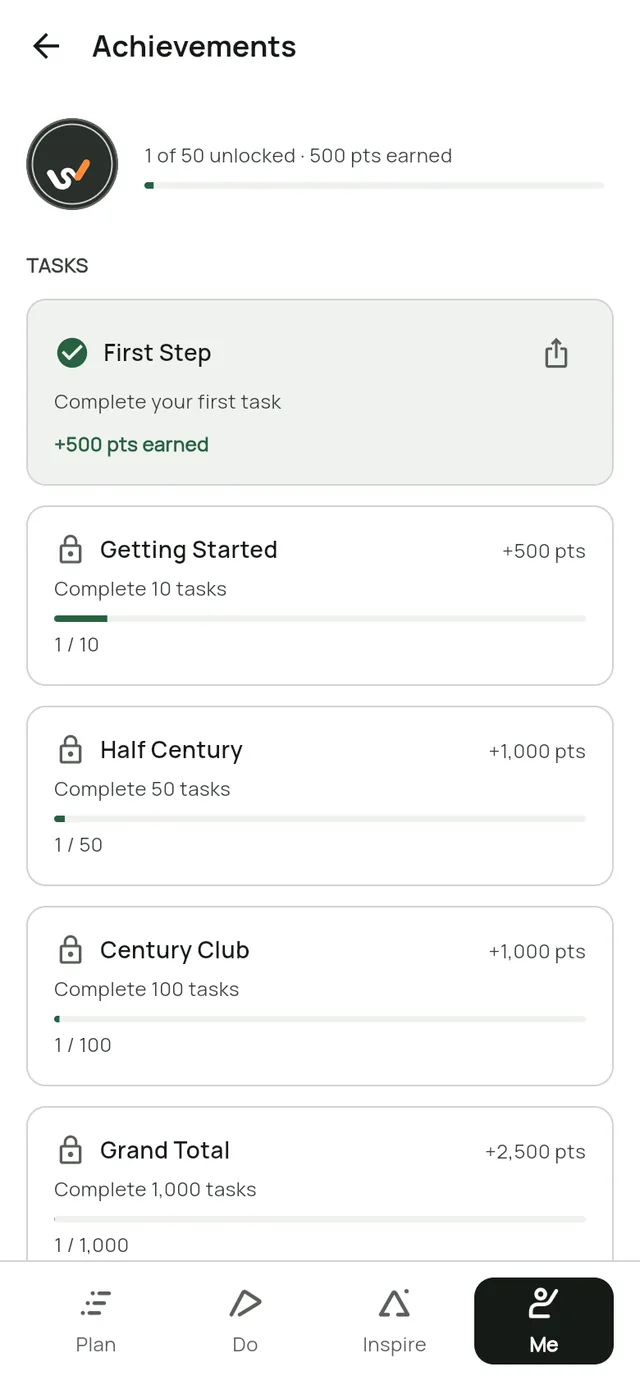
Finished tasks count toward the goal, and streaks and achievements keep the progress in view.
Say it instead of typing. Talk it through and get one task for each thing you say.
Nothing slips through. Reminders, repeating tasks and a calendar.
Bring your team. Share a project with up to five teammates, who join free.Pro
Ask your AI assistant. Let Claude, ChatGPT or Cursor plan your day and add tasks. See how to connect.
Out now on iPhone, iPad, Android, Mac and Windows. Free works on one device; Pro keeps them all in sync.
Pin the timer above your other windows.
Edit a task without losing your place.
Dates, lists, priority and subtasks in one menu.


One kind of goal per page, with real screens.
Or start from a plan: short-term goals examples, becoming a personal trainer or how to stop procrastinating. How to achieve your goals links to every plan and guide.
Nothing goes to AI until you allow it.
Our AI providers don't train on your requests.
No third-party analytics trackers. And we don't sell your data.
Delete your account from inside the app.
Free covers your to-do list and one active goal on one device. Pro adds more goals, all your devices and your team.
US$0
Your to-do list and one goal, on one device.
US$6.99 a month or US$59.99 a year
Starts with a 7-day free trial.
LeapSteps is out now in the App Store for iPhone and iPad, the Mac App Store for Mac, Google Play for Android phones and tablets, and the Microsoft Store for Windows.
LeapSteps is free for one goal on one device. Pro is US$6.99 a month or US$59.99 a year, and starts with a 7-day free trial. App stores may show the price in your local currency, and the app shows the exact price before you start. Cancel at least 24 hours before the trial ends and you won't be charged.
No. Every feature in the Free plan stays in the Free plan. Features may move from Pro to Free over time, never the other way.
No. LeapSteps works as a plain to-do list, and goal setting is there when you want it. Link a task to a goal when it's part of something bigger.
No. You can write every goal, step and task yourself. AI only drafts ideas when you ask, and you keep, edit or skip what it suggests.
Your tasks, plans and focus timer work without a connection. AI features and voice capture need one.
Yes, with Pro: your goals and tasks sync across all your devices. Free works on one device.
Not at the moment. LeapSteps isn't currently offered in the European Union, the European Economic Area or the United Kingdom.
Open Settings in LeapSteps and choose Delete account. You can also ask us to delete it without the app.
LeapSteps is out now on iPhone, iPad, Android, Mac and Windows.
Get LeapSteps