

A task on a phone
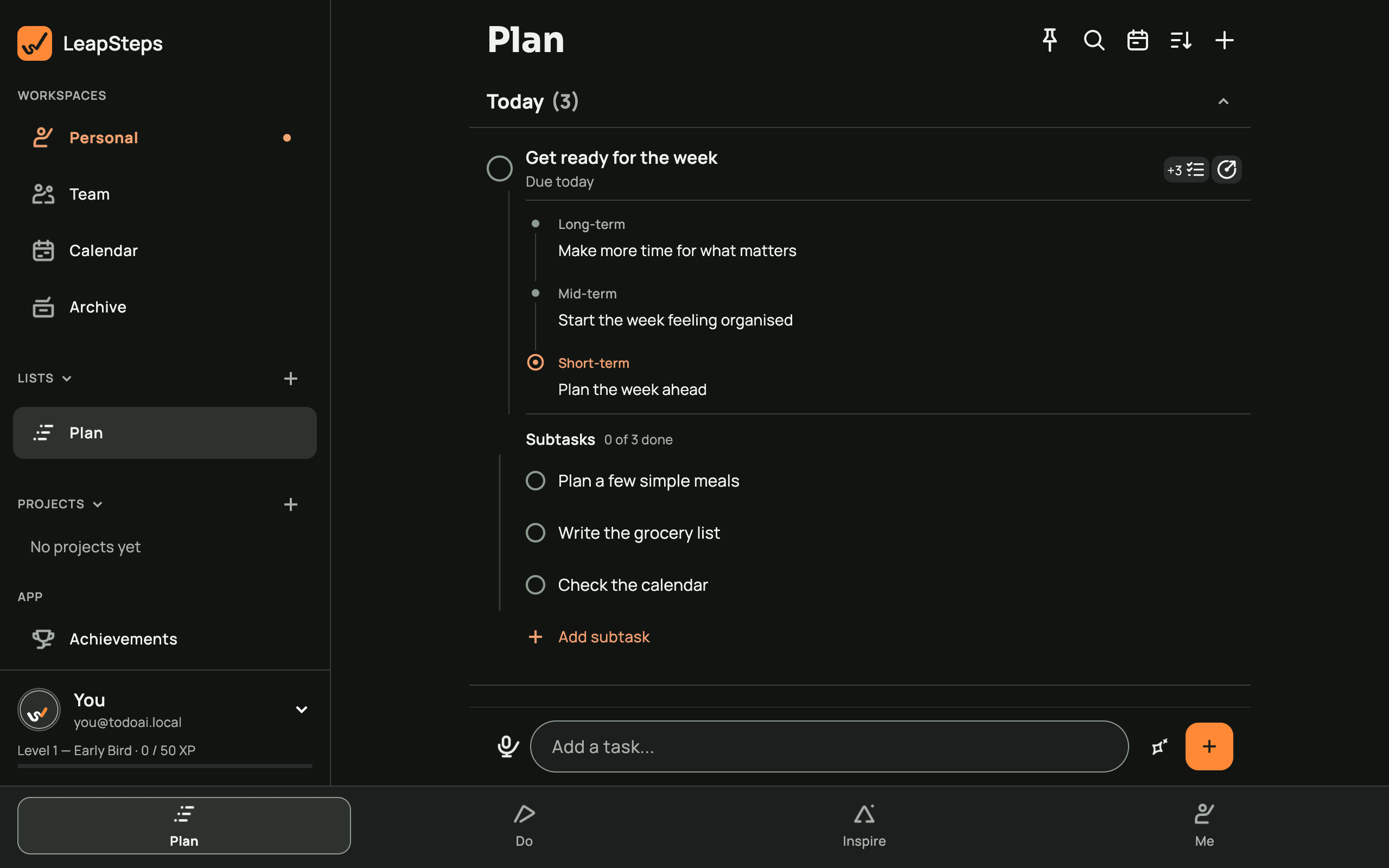
See a task and its subtasks together in this phone example.

A cluttered list can make it hard to see what needs attention. LeapSteps is a to-do list app for Mac that brings tasks, optional goals and a focus timer together.
Get it from the Mac App Store and choose how to plan your day.
Free to start.
The official Mac App Store listing says macOS 12.0 or later is required. Open the listing on your Mac and check its current requirements before downloading. LeapSteps is free to download with optional paid features. LeapSteps is not offered in the EU, EEA or UK.
You can write tasks yourself and choose whether to request AI suggestions. See the AI to-do list for the general workflow and the goal setting app for linking tasks to goals.
If you also use Windows, see LeapSteps for Windows. For planning methods, see how to make a to-do list, how to prioritize tasks and weekly planning.
See a task and its subtasks together in this phone example.
Make a list and try the focus timer.
Free includes tasks, reminders and the timer. AI planning has limited daily use. Your personal tasks, goals and lists stay separate on each device.
Keep your plan in sync across devices.
Pro syncs your goals, tasks and lists and offers generous daily use of AI planning. Check the app for current subscription details before deciding.
Yes. LeapSteps is a native Mac app available from the Mac App Store.
The official Mac App Store listing says macOS 12.0 or later. Check the listing on your Mac before installing.
Pro syncs personal goals, tasks and lists across devices. On Free, these stay separate on each device; project and assigned tasks can sync.
Yes. Add the LeapSteps connector in a supported assistant, sign in and allow the connection. Each connection uses one device, and Free has a daily allowance of assistant changes.
Yes. Open Do and choose Focus to pin one task to the timer.
You can start on Free. Check the app for current subscription details.
Choose a task, keep the goal in view and start when you're ready.
Get LeapSteps